Edit existing MultiListings
Reopen a live eBay multi-variation listing and keep the existing structure as your base instead of starting over.
Bulk edit an existing eBay multi-variation listing, add new or unsold singles from folders, and update prices, quantities and images without rebuilding the whole listing by hand.

This is one of the strongest MultiLister use cases for collection sellers: keep a whole subject together in one existing listing instead of re-uploading images, re-entering details and scrolling through long manual edits every time.
“Folder Lister works really well and helps me get my stock online much faster. I moved all my unsold scouting items into MultiListings in about two hours, and I could add duplicate stock in one go.”
A focused eBay variation workflow: reopen a MultiListing, add the right items, and bulk edit the details that matter.
Reopen a live eBay multi-variation listing and keep the existing structure as your base instead of starting over.
Select the right items from disk and bring them into one existing MultiListing when a collection belongs together.
Use the Web Editor to update variation details faster than doing long manual edits inside one eBay multi-variation listing.
This short walkthrough focuses on the practical flow: open an existing MultiListing, load new or unsold items from folders, and adjust the variations without rebuilding the whole listing from scratch.
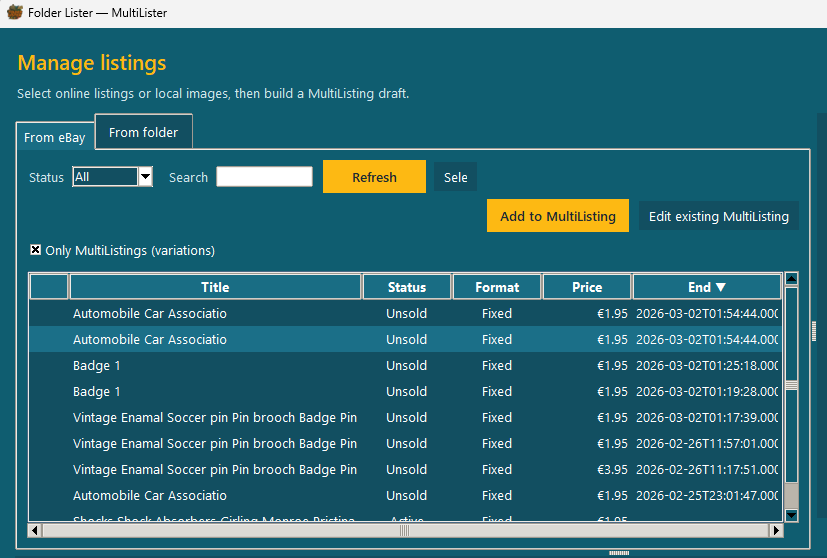
Filter your MultiListings, pick the listing you want to keep building on, and use Edit existing MultiListing as your starting point.
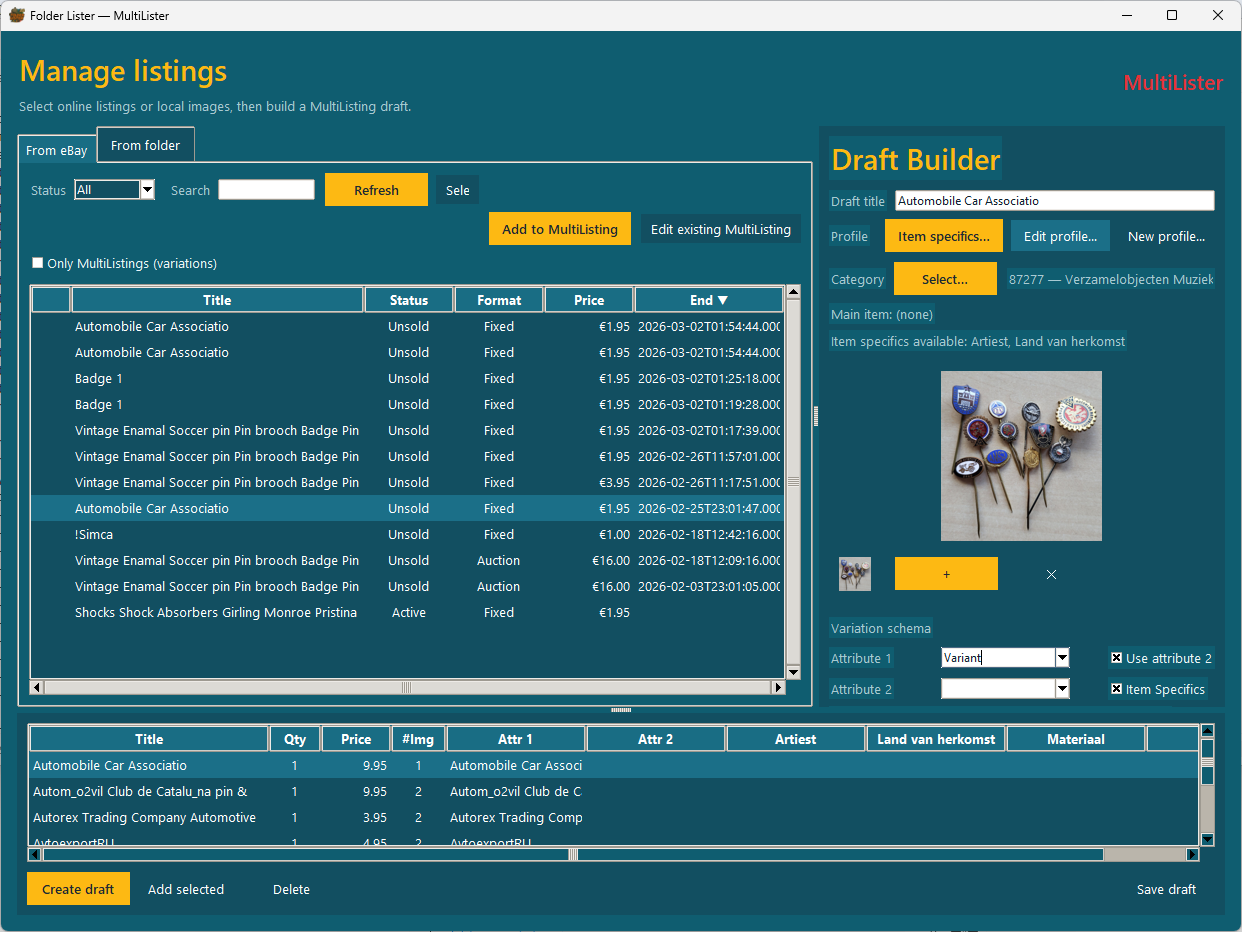
Load a folder, choose the items that should become part of the MultiListing, and define the main item plus variation attributes.
Open the variations editor in the Web Editor and make the practical changes that matter when one listing keeps evolving over time.
