Edit existing MultiListings
Reopen a variation listing, change variations, images, price/qty, then push an updated draft.
Folder Lister lets you edit existing variation listings and add new variations by loading a folder. It reads filenames, auto-bundles photos (b/c/d…), and helps you turn repeat items (including unsold singles) into one MultiListing that you can keep updating over time.
Benchmark: 100 listings · 200 images · ~9 minutes
This workflow shines when you list batches and collections: coins, trading cards, badges, pins, patches, DVD / movies, music, and any high-volume inventory where “repeat structure” matters.
Reopen a variation listing, change variations, images, price/qty, then push an updated draft.
Drop new photos in a folder and extend the existing variation setup instead of rebuilding duplicates.
Folder Lister reads titles and bundles extra photos automatically (b/c/d…), keeping sets tidy.
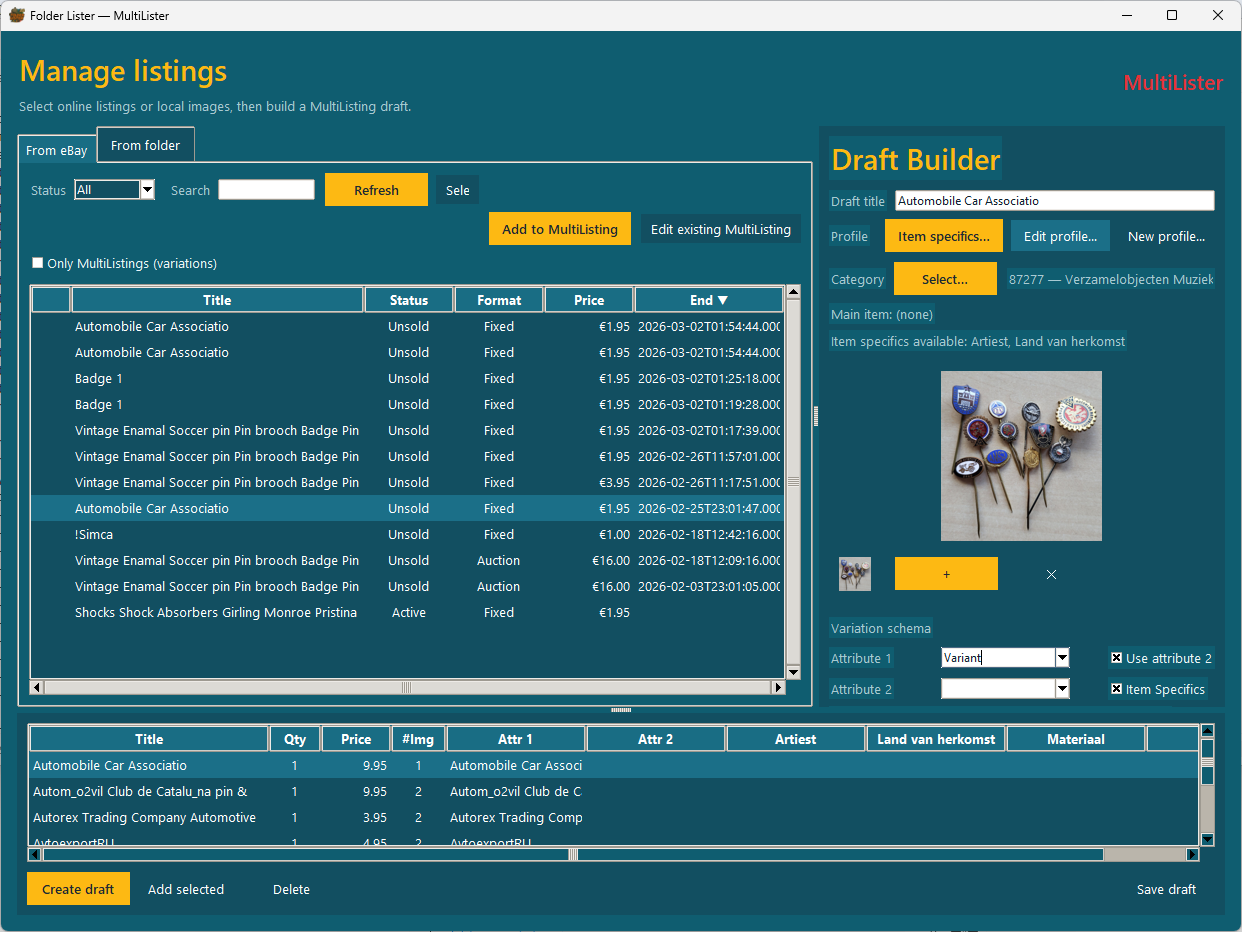
MultiLister lets you work with variations the way high-volume sellers actually need: filter your MultiListings, select one, and click Edit existing MultiListing.
Tip: You can also load online listings From eBay and use them as input — handy for reusing an existing listing as your base.
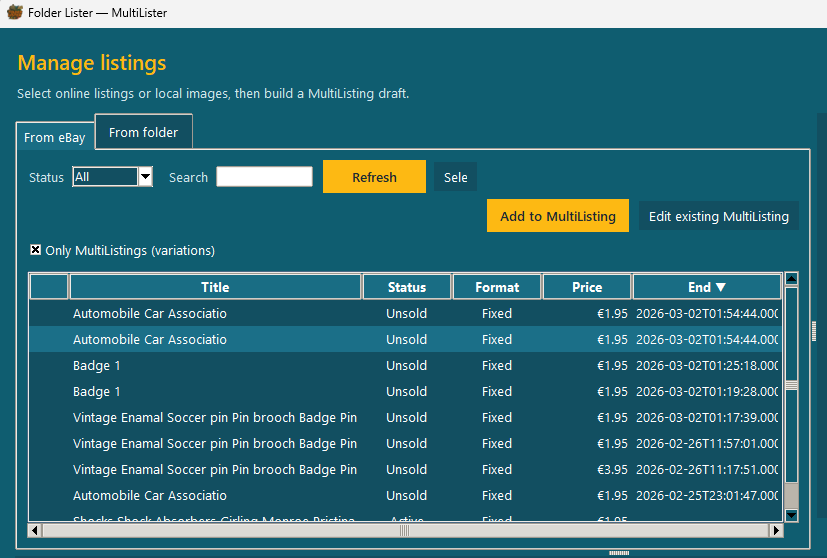
New stock arrives. You add photos. Folder Lister does the busywork. Load a folder and use Add to MultiListing to extend an existing variation listing, or build a new one.
When your draft opens in the Web Editor, click Edit under Variations to open the variations editor. This is where you can tweak the things that matter at scale:

Folder Lister reads titles from your filenames and automatically bundles extra photos. This keeps your flow simple: take pictures, name files, drop them in the folder.
Example (Beginner mode):


If you have many unsold singles that are basically the same kind of item, turning them into one multi-variation listing can make the whole thing easier to maintain: one listing to update, one place to add new stock, and fewer duplicates.
Note: exact fees depend on your eBay store/subscription and listing settings. Always check your local eBay fee rules and free-listing limits.