Too many listing layers
Catalogs, templates, linked products and separate image areas can become more admin than some batch sellers actually need.

CrazyLister is a browser-based listing platform with templates, catalog tools and variation support. Folder Lister is built for sellers who want a simpler route: folders → drafts → eBay. If your stock already lives in local folders and your real pain point is workflow friction, Folder Lister removes layers between your photos and your live listings instead of adding more catalog, image and import admin.
The pricing logic is different. CrazyLister is publicly framed around a free trial and paid plans based mainly on how many active listings you manage. Folder Lister takes a lighter entry route for collection sellers: free Launch access now, then a higher-volume Pro tier built around workflow depth, image capacity and account support instead of a managed-live-listing meter.
| Pricing / access | Folder Lister | CrazyLister |
|---|---|---|
| Entry point | Free Launch plan | 7-day free trial |
| Ongoing model | Launch free during current phase, paid Pro for heavier use | Paid monthly / yearly plans |
| Main limiter | EPS upload capacity and account tier | Number of active listings |
| Best fit | Batch sellers who want folder-based speed | Sellers who want a browser template/catalog platform |
If your biggest issue is workflow overhead rather than active-listing management, Folder Lister usually has the cleaner value story.
CrazyLister can handle images in more than one way: standard listing photos, variation photos and item-description photos. That flexibility is useful, but it also means more layers to keep aligned. Folder Lister takes a narrower route that batch sellers often prefer: work from local folders and upload images directly to eBay as part of the draft flow.
This matters even more with multi-variation listings. That is exactly where image workflows can become twitchy: gallery photos one way, variation photos another way, then revisions later through a different route. Folder Lister keeps the image step tighter by working directly from your local folders.
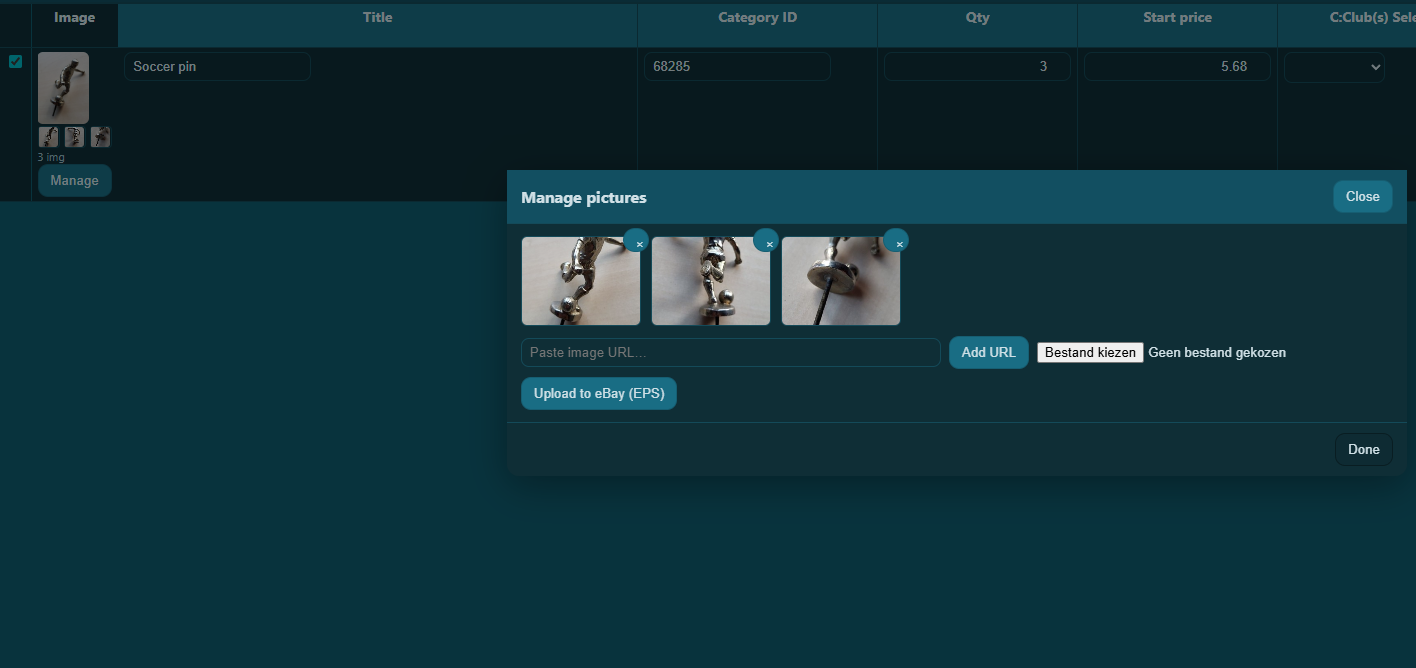
CrazyLister does support variation listings. The stronger comparison is not “who has a variation editor?” It is this: how much work do you repeat when stock changes?
Folder Lister is particularly strong when new stock comes in later and the listing already exists. For collection sellers, that is often more valuable than a general browser-based variation editor.
Prefer watching instead of reading? This demo shows the kind of variation growth workflow that Folder Lister was built for.
Both tools can create eBay listings. The key difference is whether you want a browser-based catalog/template platform or a faster path from local folders to eBay drafts.
| Feature / workflow | Folder Lister | CrazyLister |
|---|---|---|
| Core workflow | Folders to eBay drafts | Browser-based listing workflow |
| Best fit | Collection sellers and batch sellers | Template/catalog-oriented sellers |
| Variation support | Yes — reopen and extend existing multi-variation listings | Yes — variation listings and variation photos supported |
| Image workflow | Direct upload to eBay servers | Gallery photos, variation photos and item-description photos |
| External image hosting required | No | No, but layered image and URL workflows are supported |
| CSV required | No | No, but CSV/catalog workflows are part of the platform |
| Folder-based input from local photos | Yes — core workflow | Not a public core workflow |
| Title-code price / quantity parsing | Yes — differentiator | Not a public core selling point |
| Marketplace scope | eBay-focused | eBay + Amazon support |
| Overall positioning | Simpler, direct workflow for repeat-structure inventory | Broader browser platform with templates and catalog tools |
Folder Lister is not trying to be every kind of seller platform. It is built for sellers who want fewer layers between local photos and listing-ready drafts.
Catalogs, templates, linked products and separate image areas can become more admin than some batch sellers actually need.
Once image updates can come from local uploads, URLs, template galleries or later revisions, the workflow becomes harder to keep clean.
For cards, coins, pins, patches and similar stock, the bottleneck is usually repeated listing work — not the lack of another browser dashboard.
Choose Folder Lister if your day-to-day looks like this: you already sort inventory in Windows folders, you list in batches, you want local photos to become eBay drafts with fewer steps, and you want to reuse naming conventions and saved profiles instead of rebuilding a catalog structure.
Especially useful for repeat-structure inventory such as trading cards, coins, comics, stamps, badges, pins, patches, media and other collection stock.
Folder Lister is built around local folders, direct image upload and reusable setup instead of spreadsheet-heavy listing prep.
Folder Lister’s public benchmark shows 100 listings with 200 images prepared in about 9 minutes after setup and naming are in place.
Folder Lister keeps the entry route simple. Launch is there so sellers can test the workflow without needing another heavy subscription from day one. Pro is aimed at heavier batch use and bigger image volume.
Up to 400 EPS uploads per month
10,000 EPS uploads per month
Yes. CrazyLister supports variation listings and variation photo management. Folder Lister’s edge is the folder-driven workflow for reopening and extending existing multi-variation listings.
No. CrazyLister can also work through its browser-based listing workflow and linked account imports. But CSV and catalog workflows are still part of the platform.
No. Folder Lister is built around a workflow where local photos are uploaded directly to eBay as part of the draft and listing flow.
Because image friction is often where batch listing gets messy. Folder Lister keeps the image route tighter by starting from local folders instead of layered image and catalog workflows.
Folder Lister is strongest for collection and batch sellers who want fewer steps between photos on disk and eBay drafts.
CrazyLister makes more sense if you specifically want a browser-based platform with template-led listing design, product-catalog workflows and broader multi-channel support.
Folder Lister is a strong fit if your real goal is not “more platform,” but less workflow friction:
If that sounds familiar, Folder Lister is probably much closer to the way you actually work than a broader template/catalog platform.