



Free
$0
- Full app functionality
- 1 license (single user/device)
- Up to 400 EPS uploads per month
- 50 AI tokens included
- No payment details required

Folder Lister runs two routes side by side. Pick the one that matches the stock in front of you.
For repetitive stock you’ve seen before. Filenames carry the price and quantity, profiles carry the rest. The 100-listings-in-9-minutes benchmark is built on this route.
Watch the benchmark —For stock that doesn’t fit a profile yet, or where every item needs its own description. Photos get analysed, short voice notes fill the gaps, complete listings come out the other side.
Watch the AI workflow —The video below is the AI voice workflow — 30 seconds, 3 complete listings, built from photos and a few seconds of speech each.
The fastest route is title coding + profiles — that’s the demo above. For items where you don’t have a profile yet, or where each piece needs its own description, the AI workflow takes over. Same app, same web editor, different starting point.
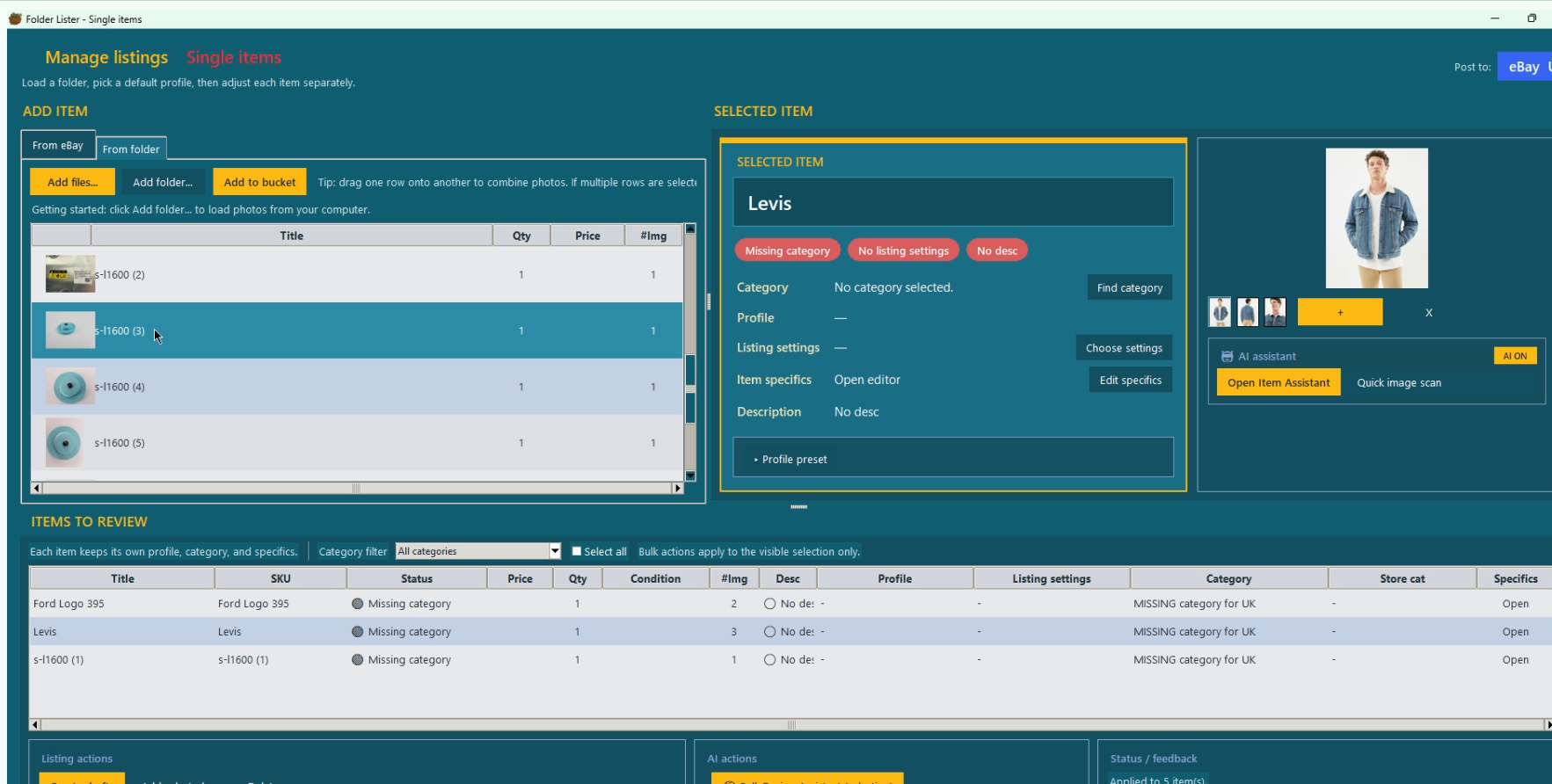
Pick From folder, point at your inventory, click Add to bucket. Each subfolder becomes a listing draft with its photos already attached. No CSV, no upload step, no separate image hosting.
~5 seconds for a folder of 50 items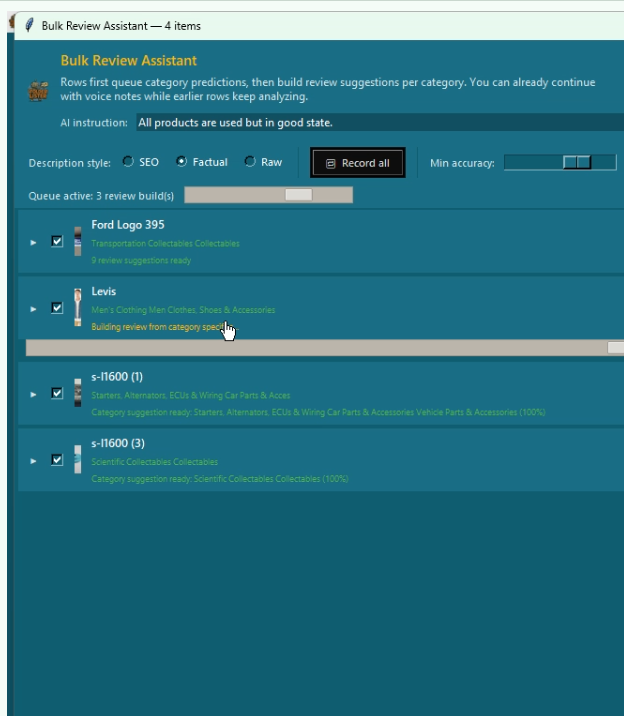
The AI looks at your photos and suggests a category per item. The queue runs in the background, so you can keep moving — add voice notes for one item while the next is still analysing.
Background queue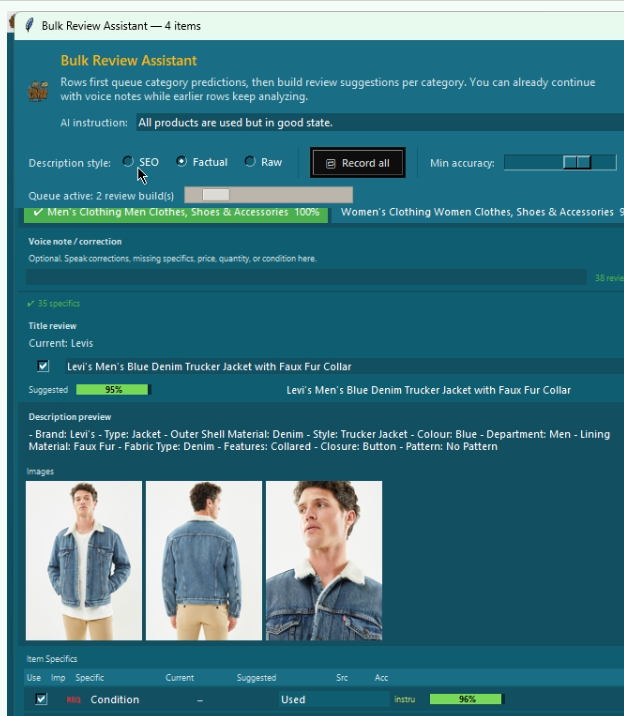
Folder Lister pulls in eBay’s required specifics for the matched category (Brand, Material, Colour, Size, Country of Origin…) and fills what it can read from the photo. Each field carries a confidence percentage in green, yellow or red so you can scan a list of 50 items in seconds.
Per-field accuracy %
Speak or type the price, size, condition, country, damage, year — whatever the camera doesn’t cover. Or set one instruction for the whole batch (“all items used but in good state”). The AI re-runs and merges those facts into the listing.
~10 seconds per item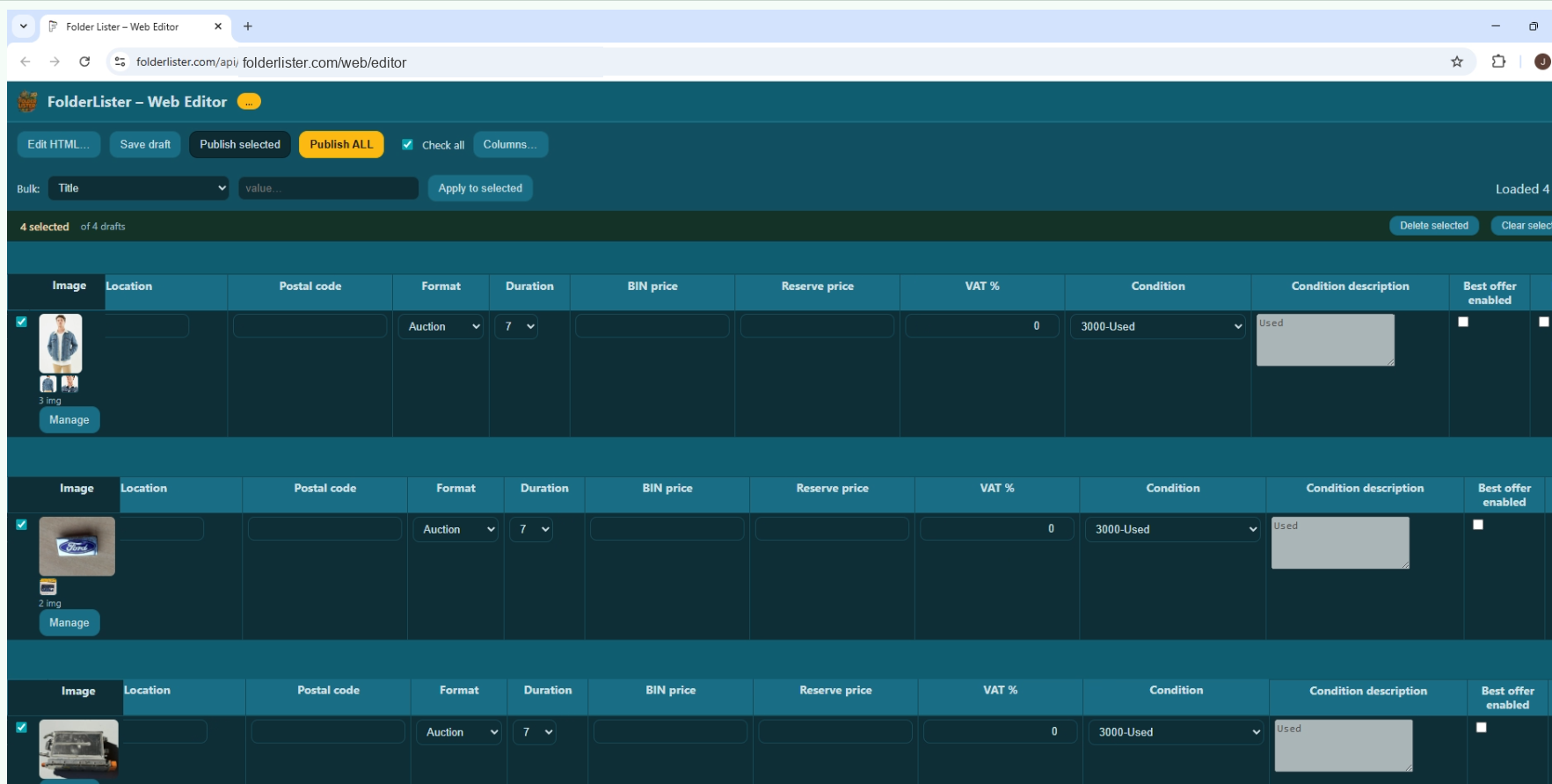
Titles, item specifics, condition, price, images and a complete HTML description — all filled in. Bulk-edit anything that needs a tweak, then hit Publish ALL to push the batch to eBay through the official API.
Bulk publish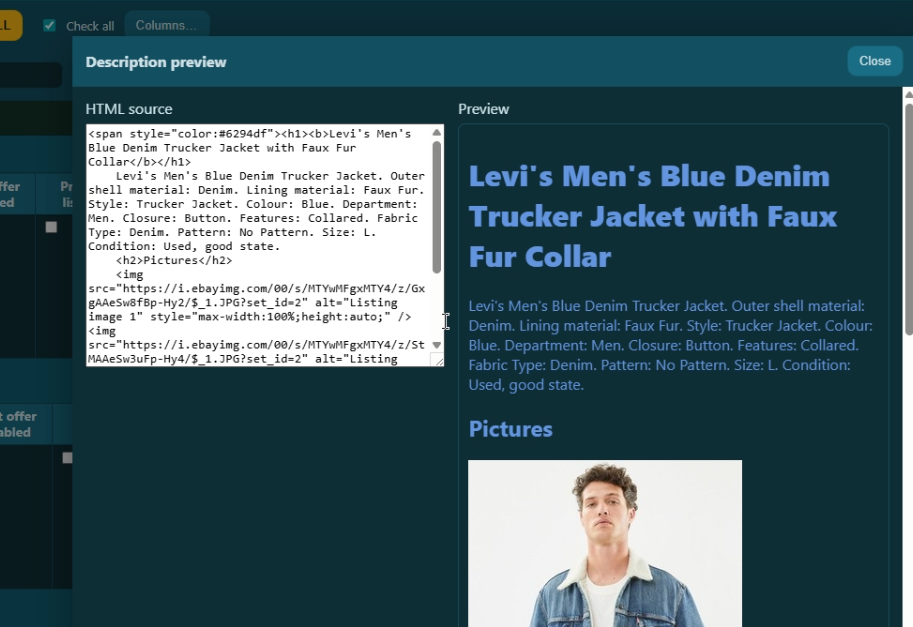
Pick the output style before you run the batch: SEO (keyword-aware, longer), Factual (specs only, neutral), or Raw (just the bare data, no prose). HTML descriptions land in the web editor with pictures embedded and specs laid out.
SEO · Factual · RawFree during launch · Windows desktop · no card details required
Add the human touch that makes a listing yours. The AI reads the photo — you add the handful of facts only you know. A few seconds of speech or a quick line of text is enough. The AI merges it in and updates the accuracy scores.
 Price“Twelve fifty.”
 Condition“Used, light wear on the corners.”
 Size“Size large, runs slim.”
 Country of origin“Made in West Germany.”
 Damage or faults“Hairline crack on the back.”
 Anything elseYear, edition, provenance, model number…
Set one instruction once for the whole batch — e.g. all my items are used but in good state — and every listing inherits it.
The AI workflow is one route. Most sellers use a mix — folder-based for repeat stock, AI for unique finds, CSV for migration, and the variation editor for cycling unsolds.
Set categories, item specifics, descriptions and policies once — reuse on every batch.
MoreDrop a CSV in. Variation groups, image URLs and item specifics are read directly.
MorePhotos are scanned for category, brand, colour, material — with accuracy scores per field.
MoreSpeak the price, condition, size or anything the photo can’t show. Re-analysed in seconds.
MoreRight-click any active eBay listing and edit it in the same web editor as your drafts.
MoreUpload to eBay (EPS), or paste your own external URLs. Both flows are supported.
MoreBadges, coins, trading cards, postcards, vintage photos, parts, books, vinyl, militaria. If your inventory already lives in folders, sets or batches, Folder Lister works with that structure — profiles handle the repeat data, title codes handle price and quantity, and your stock becomes eBay drafts in batches of 50, 100 or more.
Migrating from InkFrog before the June 1, 2026 shutdown? Direct CSV import means no rebuild — your existing catalogue keeps moving.
“I uploaded about 113 listings in my first 2 hours with Folder Lister, while still learning the software and only using a small part of the features. I never managed that many in one day before.”
Start free. Get your license by email, download the app, and start listing — folder-to-eBay, CSV import, or the classic title-code workflow. AI is there when you need it.
10,000 EPS uploads per month
Cancel anytime. Manage your subscription via the Stripe customer portal.
* Launch plan details may change later. If anything changes, we will announce it well in advance.
Free during launch. Windows desktop app. Get your license by email and start listing in minutes.
No card details required · license by email